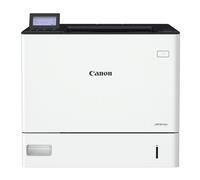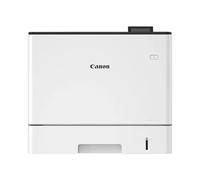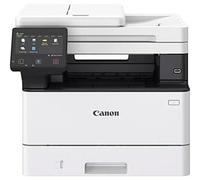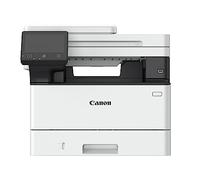
Canon i-SENSYS MF655Cdw Wireless Colour 3-in-1 Laser Printer
Canon i-SENSYS MF655CDW Multifunctional Wireless A4 Colour Laser Printer

Canon i-SENSYS MF655Cdw Wireless Colour 3-in-1 Laser Printer

🤖 Ask ChatGPT
Product Information
Design
| Colour display | Yes |
| Control type | Touch |
| Display | LCD |
| Built-in display | Yes |
| Product colour | Black, White |
| Market positioning | Business |
Weight & dimensions
| Weight | 22.6 kg |
| Height | 360 mm |
| Depth | 460 mm |
| Width | 451 mm |
Power
| AC input voltage | 220 - 240 V |
| AC input frequency | 50 - 60 Hz |
| Energy Star Typical Electricity Consumption (TEC) | 0.19 kWh/week |
| Power consumption (sleep) | 0.8 W |
| Power consumption (standby) | 11 W |
| Power consumption (printing) | 370 W |
| Power consumption (max) | 850 W |
System requirements
| Windows operating systems supported | Windows 10, Windows 11, Windows 8.1 |
| Server operating systems supported | Windows Server 2022 |
| Mac operating systems supported | Mac OS X 10.11 El Capitan, Mac OS X 10.12 Sierra, Mac OS X 10.13 High Sierra, Mac OS X 10.14 Mojave, Mac OS X 10.15 Catalina, Mac OS X 10.15.3 Catalina, Mac OS X 10.2 Jaguar, Mac OS X 10.3 Panther, Mac OS X 10.4 Tiger, Mac OS X 10.5 Leopard, Mac OS X 10.6 Snow Leopard, Mac OS X 10.7 Lion, Mac OS X 10.8 Mountain Lion, Mac OS X 10.9 Mavericks, Mac OS X 11.0 Big Sur, Mac OS X 12.0 Monterey |
Operational conditions
| Operating relative humidity (H-H) | 20 - 80% |
| Operating temperature (T-T) | 10 - 30 °C |
Performance
| Built-in processor | Yes |
| Processor frequency | 800 MHz |
| Internal memory | 1024 MB |
Printing
| Secure printing | Yes |
| Time to first page (colour, normal) | 10.5 s |
| Time to first page (black, normal) | 10.4 s |
| Print speed (black, normal quality, A4/US Letter) | 21 ppm |
| Maximum resolution | 1200 x 1200 DPI |
| Duplex printing | Yes |
| Printing | Colour printing |
| Print technology | Laser |
Network
| Management protocols | SNMPv1, SNMPv3 (IPv4,IPv6) |
| Ethernet LAN | Yes |
| Wi-Fi standards | 802.11b, 802.11g, Wi-Fi 4 (802.11n) |
| Ethernet LAN data rates | 10,100,1000 Mbit/s |
| Security algorithms | 64-bit WEP, 128-bit WEP, WPA-PSK, WPA-TKIP, WPA2-AES, WPA2-PSK |
| Wi-Fi | Yes |
Ports & interfaces
| USB port | Yes |
| Direct printing | Yes |
Paper handling
| Maximum ISO A-series paper size | A4 |
| Paper tray media weight | 60 - 163 g/m² |
| Envelopes sizes | C5, Com-10, DL, Monarch |
| Non-ISO print media sizes | Executive, Legal, Letter, Oficio, Statement |
| ISO B-series sizes (B0...B9) | B5 |
| ISO A-series sizes (A0...A9) | A4, A5 |
| Paper tray media types | Coated paper, Envelopes, Heavy paper, Labels, Plain paper, Postcard, Recycled paper, Thin paper |
Input & output capacity
| Maximum input capacity | 251 sheets |
| Multi-Purpose tray | Yes |
| Total output capacity | 100 sheets |
| Total input capacity | 250 sheets |
| Total number of input trays | 1 |
Features
| Page description languages | PCL 5c, PCL 6, UFRII |
| Printing colours | Black, Cyan, Magenta, Yellow |
| Duplex functions | Copy, Print |
| Maximum duty cycle | 30000 pages per month |
| Recommended duty cycle | 250 - 2500 pages per month |
Fax
| Faxing | No |
Scanning
| Scan drivers | ICA, TWAIN, WIA |
| Optical scanning resolution | 600 x 600 DPI |
| Scanning | Colour scanning |
| Greyscale levels | 256 |
| Output colour depth | 24 bit |
| Input colour depth | 24 bit |
| Document formats supported | |
| Image formats supported | JPEG, PNG, TIFF |
| Scan to | Cloud, E-mail, FTP, PC, USB |
| Scanner type | Flatbed & ADF scanner |
Copying
| Duplex copying mode | Auto |
| Duplex copying | Yes |
| Maximum copy resolution | 600 x 600 DPI |
| Copying | Colour copying |
| ID-card copy function | Yes |
| Copier resize | 25 - 400% |
| Maximum number of copies | 999 copies |
Product information
At a glance
- Quick printing: 27 pages per minute
- Modern design: Compact and stylish exterior
- Multiple connectivity: USB, Ethernet, and Wi-Fi
Note: This text was created with the help of AI.
Discover the Power of the Canon i-SENSYS MF655Cdw
The Canon i-SENSYS MF655Cdw is the ultimate companion for home offices, small businesses, and creative spaces where versatility and quality are key. This exceptional multifunction printer combines printing, scanning, copying, and faxing capabilities in one sleek design, making it ideal for those who value efficiency and performance. Whether you're printing vibrant presentations or important documents, this all-in-one printer is designed to meet your diverse needs. Check out more about All In One Printers for similar products!
Impressive Features and Functionality
The Canon i-SENSYS MF655Cdw is packed with features that streamline your workflow. Enjoy fast print speeds of up to 27 pages per minute and a first print out time as quick as 10 seconds, ensuring you never have to wait long for your documents. With a large 5-inch touchscreen display, navigating through its user-friendly interface is a breeze. Add to that the wireless printing capability, and you can effortlessly print from your smartphone or tablet. Plus, with automatic double-sided printing, you’ll save on paper while reducing your environmental footprint.
Sleek Design Meets Practicality
This printer not only excels in performance but also shines in aesthetics. The Canon i-SENSYS MF655Cdw sports a modern and compact design that fits seamlessly into any workspace. Its stylish white and grey exterior brings a touch of sophistication while ensuring it doesn’t take up too much room. The printer features a front-loading paper tray that holds up to 250 sheets, minimizing the number of times you need to refill it, while the innovative cooling system keeps it running quietly. This means you can work undisturbed even during those busy printing sessions!
Connectivity and Compatibility
Stay connected and versatile with the Canon i-SENSYS MF655Cdw's broad range of connectivity options. It supports USB, Ethernet, and Wi-Fi connections, making it easy to integrate into your existing setup. Plus, it's compatible with various operating systems, including Windows, Mac, and Linux, ensuring you can print from nearly any device. With additional features like mobile printing capabilities through Canon's PRINT app, Google Cloud Print, and Apple AirPrint, you can print directly from your smartphone or tablet, adding even more convenience to your daily tasks.
Note: This text was created with the help of AI.
How well did the information meet your expectations and assist you further?
 Not at all

 Neutral

 Very much
Similar products