




- 1
- 2
- 3
- 4
- 5
- next page
HP ProBook used: Practical buying advice for second-hand HP ProBook laptops
HP ProBook used: Practical buying advice for second-hand HP ProBook laptops
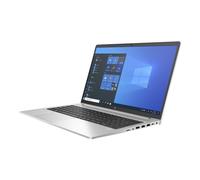
When people search for HP ProBook used they usually want a reliable business laptop at a lower price than new models, or a refurbished unit with a warranty. You are likely comparing condition categories (used, refurbished, renewed), expected performance for work or study, and the price difference across offers. For a quick look at available listings and manufacturer-related options, see the HP offers on pricehunter.co.uk to understand typical pricing and condition labels before you buy.
How an HP ProBook used laptop typically fits everyday work, study and light entertainment needs
The HP ProBook family is a line of business-oriented laptops designed for productivity and portability. A used HP ProBook is generally suitable for office software, email, web browsing, videoconferencing, and streaming. Many buyers choose second-hand ProBooks for remote work, students on a budget, and small businesses replacing fleets at lower cost. Because models vary, focus on the general strengths of the range—durability, keyboard comfort, and business-class connectivity—rather than on specific model numbers.
What to know about buying a used, refurbished or guaranteed HP ProBook used laptop
Understanding the difference between used and refurbished helps you set expectations. A used laptop is typically sold as-is after previous use; a refurbished device has been inspected, repaired if needed, and often tested to meet certain standards. Refurbished units may come with a limited warranty; used units often have little or no guarantee. Both options can be good value, but risk and support differ.
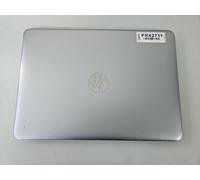
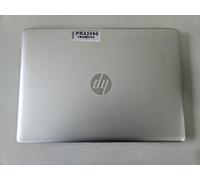
- Cosmetic condition: check for scratches, dents and hinge wear.
- Functionality: verify that keyboard, trackpad, ports, Wi‑Fi and webcam work.
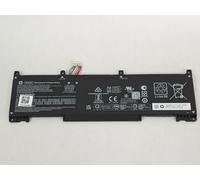
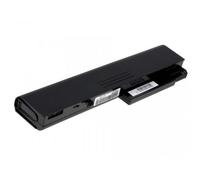
- Battery health: battery capacity degrades with use—ask about cycle count or runtime.
- Storage and memory: confirm type (HDD/SSD) and capacity, and whether upgrades are possible.
- Included accessories: charger, original packaging, recovery media or licences.
- Warranty and return policy: shorter warranties are common for used items; refurbished may include better protection.
- Activation and ownership: ensure the OS is legally activated and there are no activation locks.
How buying an HP ProBook used can reduce costs while meeting practical needs
Buying a used HP ProBook can be significantly cheaper than a new machine because laptops depreciate quickly. Savings allow you to afford a higher-tier model or to keep a budget for upgrades like more RAM or an SSD. However, factor in potential extra costs: battery replacement, repairs, or shorter lifespan. Comparing offers and checking condition and warranty helps you assess true value for money.
How to compare HP ProBook used offers effectively using pricehunter.co.uk
Pricehunter.co.uk helps by listing multiple offers side by side so you can compare price, condition, and warranty details. Use filters to narrow results by condition (used, refurbished), price range, and seller terms. Look for clear descriptions, condition photos, and included warranty information. Transparent listings and sorting options make it easier to spot the best balance of price, condition and after-sales protection when choosing an HP ProBook used laptop.
Note: This text was created with the help of AI.
How well did the information meet your expectations and assist you further?
 Not at all

 Neutral

 Very much