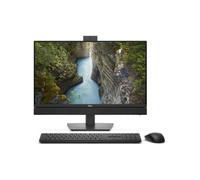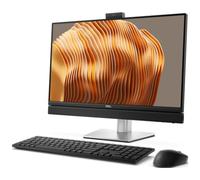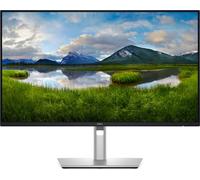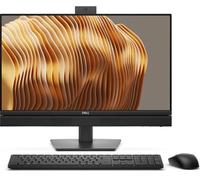
DELL Pro 24 Plus USB-C Hub Monitor P2425E computer monitor 61.1 cm (24.1") 1920 x 1200 pixels WUXGA LCD Black
Dell P2425E skaerm - LED baglys - 24" -

Based on a total of 48,234 customer reviews from independent review platforms.
Sources & Transparency:
The values are derived from publicly available retailer ratings from platforms such as Feefo, http://Reviews.io , Trustpilot, and others, and are aggregated monthly.
All brand names and logos are the property of their respective owners.
Notice:
pricehunter.co.uk cannot guarantee that published shop ratings originate from consumers who have actually made a purchase from the reviewed retailer.
Dell P2425E - LED monitor - 24" new

Based on a total of 393 customer reviews from independent review platforms.
Sources & Transparency:
The values are derived from publicly available retailer ratings from platforms such as Feefo, http://Reviews.io , Trustpilot, and others, and are aggregated monthly.
All brand names and logos are the property of their respective owners.
Notice:
pricehunter.co.uk cannot guarantee that published shop ratings originate from consumers who have actually made a purchase from the reviewed retailer.
Dell Pro Plus Monitor 24" WUXGA 1920 x 1200 Anti-glare

Based on a total of 4,062 customer reviews from independent review platforms.
Sources & Transparency:
The values are derived from publicly available retailer ratings from platforms such as Feefo, http://Reviews.io , Trustpilot, and others, and are aggregated monthly.
All brand names and logos are the property of their respective owners.
Notice:
pricehunter.co.uk cannot guarantee that published shop ratings originate from consumers who have actually made a purchase from the reviewed retailer.
DELL Pro Plus P2425E computer monitor 61.1 cm (24.1") 1920 x 1200 pixels WUXGA LCD Black

Based on a total of 526 customer reviews from independent review platforms.
Sources & Transparency:
The values are derived from publicly available retailer ratings from platforms such as Feefo, http://Reviews.io , Trustpilot, and others, and are aggregated monthly.
All brand names and logos are the property of their respective owners.
Notice:
pricehunter.co.uk cannot guarantee that published shop ratings originate from consumers who have actually made a purchase from the reviewed retailer.
DELL Pro Plus P2425E computer monitor 61.1 cm (24.1") 1920 x 1200 pixels WUXGA LCD Black

Based on a total of 37,271 customer reviews from independent review platforms.
Sources & Transparency:
The values are derived from publicly available retailer ratings from platforms such as Feefo, http://Reviews.io , Trustpilot, and others, and are aggregated monthly.
All brand names and logos are the property of their respective owners.
Notice:
pricehunter.co.uk cannot guarantee that published shop ratings originate from consumers who have actually made a purchase from the reviewed retailer.
Dell Pro Plus P2425E, 61.1 Cm (24.1 Inches), 1920 X 1200 Pixels, Wuxga, Lcd, 8 Ms, Black

Based on a total of 38,138 customer reviews from independent review platforms.
Sources & Transparency:
The values are derived from publicly available retailer ratings from platforms such as Feefo, http://Reviews.io , Trustpilot, and others, and are aggregated monthly.
All brand names and logos are the property of their respective owners.
Notice:
pricehunter.co.uk cannot guarantee that published shop ratings originate from consumers who have actually made a purchase from the reviewed retailer.
DELL Pro Plus P2425E computer monitor 61.1 cm (24.1") 1920 x 1200 pixels WUXGA L

Based on a total of 24,032 customer reviews from independent review platforms.
Sources & Transparency:
The values are derived from publicly available retailer ratings from platforms such as Feefo, http://Reviews.io , Trustpilot, and others, and are aggregated monthly.
All brand names and logos are the property of their respective owners.
Notice:
pricehunter.co.uk cannot guarantee that published shop ratings originate from consumers who have actually made a purchase from the reviewed retailer.
DELL Pro Plus P2425E computer monitor 61.1 cm (24.1") 1920 x 1200 pixels WUXGA
Based on a total of 24,032 customer reviews from independent review platforms.
Sources & Transparency:
The values are derived from publicly available retailer ratings from platforms such as Feefo, http://Reviews.io , Trustpilot, and others, and are aggregated monthly.
All brand names and logos are the property of their respective owners.
Notice:
pricehunter.co.uk cannot guarantee that published shop ratings originate from consumers who have actually made a purchase from the reviewed retailer.
Dell P2425E 24 Inch QHD USB-C Hub Monitor 16:10 Height Adjustable - Black Grey

Based on a total of 26,932 customer reviews from independent review platforms.
Sources & Transparency:
The values are derived from publicly available retailer ratings from platforms such as Feefo, http://Reviews.io , Trustpilot, and others, and are aggregated monthly.
All brand names and logos are the property of their respective owners.
Notice:
pricehunter.co.uk cannot guarantee that published shop ratings originate from consumers who have actually made a purchase from the reviewed retailer.


Cheapest offer
🤖 Ask ChatGPT
Product Information
Other features
| RJ-45 ports quantity | 1 |
| Compliance certificates | RoHS, TÜV mark |
Brand-specific features
| Dell Display Manager (DDM) compatibility | Yes |
Packaging content
| DisplayPort cable length | 1.8 m |
| Quick start guide | Yes |
| Cables included | AC, DisplayPort, USB |
| Stand included | Yes |
Packaging data
| USB cable length | 1 m |
| Package weight | 7.12 kg |
Weight & dimensions
| Bezel width (bottom) | 1.3 cm |
| Bezel width (top) | 6.7 mm |
| Bezel width (side) | 6.7 mm |
| Weight (without stand) | 3.51 kg |
| Height (without stand) | 343.7 mm |
| Depth (without stand) | 50 mm |
| Width (without stand) | 531.8 mm |
| Weight (with stand) | 5.02 kg |
| Height (with stand) | 364 mm |
| Depth (with stand) | 181.8 mm |
| Width (with stand) | 531.8 mm |
Operational conditions
| Non-operating altitude | 0 - 12192 m |
| Operating altitude | 0 - 5000 m |
| Storage relative humidity (H-H) | 5 - 90% |
| Operating relative humidity (H-H) | 10 - 80% |
| Storage temperature (T-T) | -20 - 60 °C |
| Operating temperature (T-T) | 0 - 40 °C |
Power
| European Product Registry for Energy Labelling (EPREL) code | 1870769 |
| Energy efficiency scale | A to G |
| Power supply type | Internal |
| Input current | 2 A |
| AC input frequency | 50/60 Hz |
| AC input voltage | 100 - 240 V |
| Power consumption (off) | 0.3 W |
| Power consumption (max) | 190 W |
| Power consumption (standby) | 0.3 W |
| Power consumption (typical) | 15 W |
| Energy consumption (SDR) per 1000 hours | 15 kWh |
| Energy efficiency class (HDR) | Not available |
| Energy efficiency class (SDR) | D |
Ergonomics
| LED indicators | Yes |
| Plug and Play | Yes |
| On Screen Display (OSD) | Yes |
| Tilt angle range | -5 - 21° |
| Tilt adjustment | Yes |
| Swivel angle range | -45 - 45° |
| Swivelling | Yes |
| Pivot angle | -90 - 90° |
| Pivot | Yes |
| Adjustable height (max) | 15 cm |
| Height adjustment | Yes |
| Cable lock slot type | Kensington |
| Cable lock slot | Yes |
| Cable management | Yes |
| Panel mounting interface | 100 x 100 mm |
| VESA mounting | Yes |
Ports & interfaces
| AC (power) in | Yes |
| HDCP version | 1.4 |
| HDCP | Yes |
| Headphone out | No |
| DisplayPort version | 1.4 |
| DisplayPorts quantity | 2 |
| HDMI version | 1.4 |
| HDMI ports quantity | 1 |
| HDMI | Yes |
| USB Power Delivery up to | 90 W |
| USB Power Delivery (USB PD) | Yes |
| USB Type-C DisplayPort Alternate Mode | Yes |
| USB Type-C downstream ports quantity | 1 |
| USB Type-A downstream ports quantity | 3 |
| Number of USB Type-C upstream ports quantity | 1 |
| USB hub version | 3.2 Gen 1 (3.1 Gen 1) |
| Built-in USB hub | Yes |
Design
| Feet colour | Grey |
| Front bezel colour | Black |
| Product colour | Black |
Carbon footprint
| Total carbon footprint (kg of CO2e) | 179 |
| Carbon emissions, manufacturing (kg of CO2e) | 87 |
| Carbon emissions, logistics (kg of CO2e) | 13 |
| Carbon emissions, energy usage (kg of CO2e) | 74 |
| Carbon emissions, end-of-life (kg of CO2e) | 5 |
| Total carbon emissions, w/o use phase (kg of CO2e) | 105 |
| PAIA version | GaBi version 1, 2024 |
Multimedia
| Built-in camera | No |
| Built-in speaker(s) | No |
Performance
| Windows operating systems supported | Windows 10, Yes |
| Mac operating systems supported | MacOS |
| NVIDIA G-SYNC | No |
| Low Blue Light technology | Yes |
| Flicker-free technology | Yes |
| AMD FreeSync | No |
Sustainability
| Sustainability certificates | ENERGY STAR, TCO |
| Doesn't contain | Arsenic, Mercury, PVC/BFR |
| Sustainability compliance | Yes |
Display
| Display diagonal | 61.1 cm (24.1") |
| Dell ComfortView technology | Yes |
| sRGB coverage (typical) | 99% |
| Surface hardness | 3H |
| Viewable size diagonal | 61.1 cm |
| Viewable size, vertical | 32.4 cm |
| Viewable size, horizontal | 51.8 cm |
| Vertical scan range | 48 - 100 Hz |
| Horizontal scan range | 30 - 122 kHz |
| Pixel density | 94.07 ppi |
| Pixel pitch | 0.27 x 0.27 mm |
| Response time (fast) | 5 ms |
| Display number of colours | 16.7 million colours |
| Viewing angle, vertical | 178° |
| Viewing angle, horizontal | 178° |
| Maximum refresh rate | 100 Hz |
| Contrast ratio (typical) | 1500:1 |
| Supported video modes | 480p, 576p, 720p, 1080p |
| Supported graphics resolutions | 640 x 480 (VGA), 720 x 400, 800 x 600 (SVGA), 1024 x 768 (XGA), 1152 x 864 (XGA+), 1280 x 1024 (SXGA), 1280 x 720 (HD 720), 1600 x 1200, 1920 x 1080 (HD 1080), 1920 x 1200 (WUXGA) |
| Screen shape | Flat |
| Anti-glare screen | Yes |
| Response time | 8 ms |
| Display brightness (typical) | 300 cd/m² |
| Touchscreen | No |
| Backlight type | LED |
| LED backlight | Yes |
| Panel type | IPS |
| Display technology | LCD |
| Native aspect ratio | 16:10 |
| HD type | WUXGA |
| Display resolution | 1920 x 1200 pixels |
Product information
At a glance
- 24-inch Full HD display for vibrant visuals.
- Multiple connectivity options for versatile setups.
- Ergonomic design for enhanced comfort and usability.
Note: This text was created with the help of AI.
Experience Excellence with the Dell P2425E Monitor
If you're in search of a reliable and versatile monitor, look no further than the Monitors offered by Dell. The P2425E is perfect for professionals, students, and casual users alike. Whether you're delving into intense graphic design, engaging in video conferencing, or simply browsing your favorite websites, this monitor is designed to meet all your display needs with precision and style.
Stunning Visuals and Advanced Features
The Dell P2425E boasts a stunning 24-inch Full HD display with a resolution of 1920 x 1080 pixels, delivering vibrant colors and sharp details for an immersive viewing experience. Equipped with an IPS panel, this monitor offers wide viewing angles of up to 178 degrees, ensuring you won't miss a thing, whether you're working alone or sharing your screen with others. Additionally, the monitor features a fast response time and a 60Hz refresh rate, making it an excellent choice for both work and play. Key features include:
- USB-C connectivity for seamless device integration and reduced cable clutter.
- Adjustable stand that allows for height, tilt, swivel, and pivot adjustments for ultimate comfort.
- Comprehensive connectivity options, including HDMI, DisplayPort, and USB-A ports.
Sleek Design That Fits Any Workspace
The design of the Dell P2425E is not just about functionality; it’s also about aesthetics. With its ultra-narrow bezels and modern finish, this monitor seamlessly fits into any workspace, whether at home or in the office. The matte anti-glare screen minimizes reflections, making it easier on the eyes during extended use. Plus, with its eco-friendly design boasting ENERGY STAR certification, you can feel good about your purchase while saving on energy costs. The monitor also includes:
- VESA compatibility for easy mounting options to free up desk space.
- Blue light filter and flicker-free technology to reduce eye strain during long hours of use.
Enhanced Productivity and Comfort
Designed with productivity in mind, the Dell P2425E enhances your workflow with its impressive multitasking capabilities. The Picture-in-Picture (PiP) and Picture-by-Picture (PbP) features allow you to view content from multiple sources simultaneously, making it easier to juggle tasks. The integrated KVM switch also enables you to control two PCs with a single keyboard and mouse. This monitor is not just a tool; it's an investment in a more efficient and enjoyable working experience. You’ll appreciate the ease of setup and the user-friendly interface that Dell is known for!
Note: This text was created with the help of AI.
How well did the information meet your expectations and assist you further?
 Not at all

 Neutral

 Very much
Similar products